

Follow Up Task
We have added a new Case Action called Follow Up Task, which you may find helpful.

When you add this case action to the case, it displays this simple form:
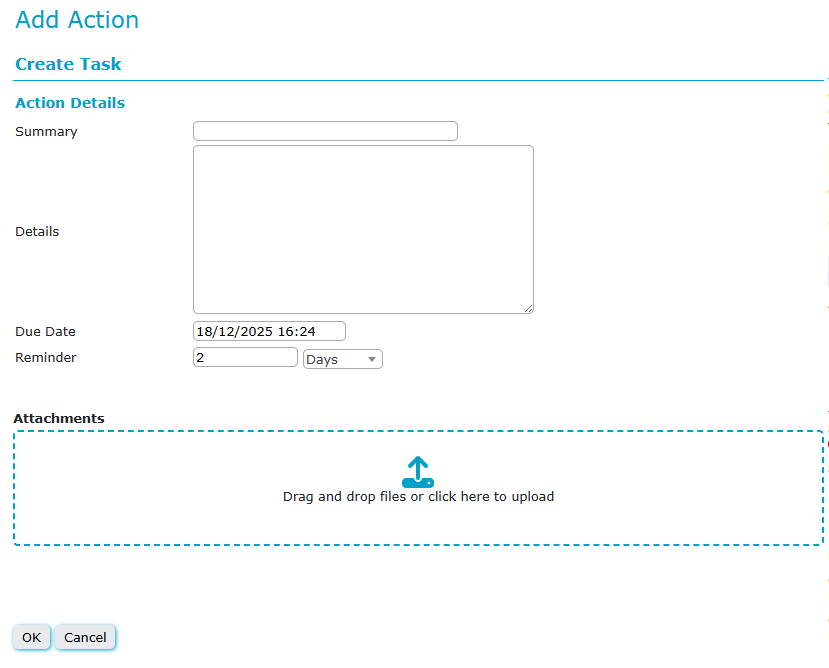
Summary: What you want the action to remind you to do.
Details: A larger box for a longer description of the action if required
Due Date: The date by which you want to complete this task. Defaults to 7 days, but can be adjusted.
Reminder: The number of days (typically) before the due date that you want Daisy to remind you about the task.
Attachments: Add if required
These tasks will appear in the My Case Actions tab on Daisy, as well as in the Client Journal to remind you they need doing. Daisy will also attempt to remind you ahead of time, the case action will display with a red question mark once that date is reached.